MEPCO E-Bill & SMS Alerts Registration 2026: Paperless Bill via Email, WhatsApp & SMS Notification Guide
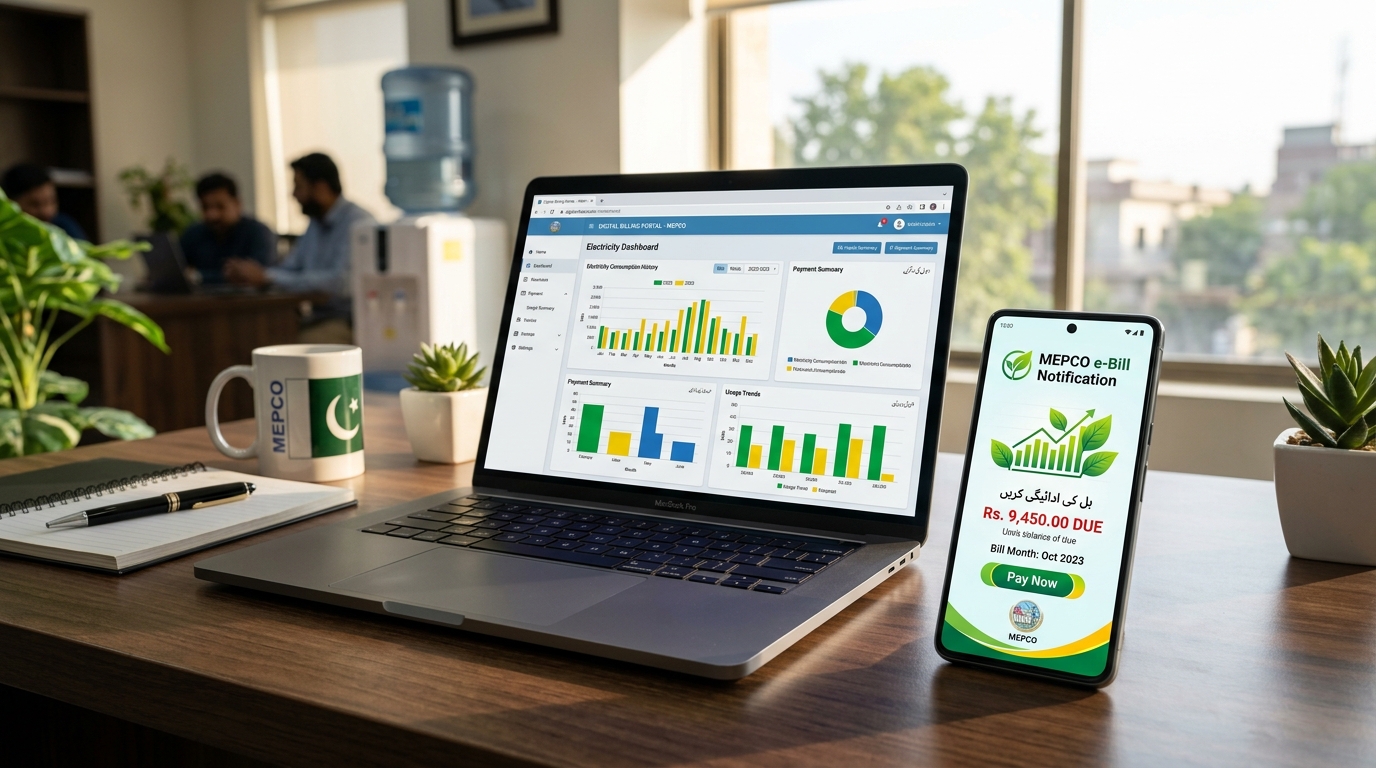
Executive Summary: Missing a physical electricity bill due to delayed postal distribution or rain-damaged mailboxes is one of the leading causes of late payment surcharges in South Punjab. By registering your mobile number and email address with the Multan Electric Power Company (MEPCO) electronic billing service, you receive your bill data 5 to 7 days before physical bills arrive at your doorstep. This definitive 2026 operational manual walks you through official online portals, SMS registration, WhatsApp bot integration, and troubleshooting network portability (MNP) issues.
Table of Contents (Jump to Section)
- 1. Why Shift to MEPCO Paperless E-Billing in 2026?
- 2. How to Register for Free MEPCO SMS Bill Alerts (Official Portal)
- 3. Setting Up MEPCO E-Bill PDF Delivery via Email
- 4. Getting Your MEPCO Bill Delivered on WhatsApp Instantly
- 5. Comprehensive Matrix: SMS vs. Email vs. WhatsApp vs. Paper Bill
- 6. Solving Common Notification Glitches (MNP Portability & Spam Folders)
- 7. Managing Multiple Utility Reference Numbers (Landlords & Enterprises)
- 8. Updating Your Registered Phone Number or Email Address
- 9. Environmental & Cost Savings: Green Energy Paperless Impact
- 10. Frequently Asked Questions (FAQ)
- 11. MEPCO Consumer Helpline & Customer Care Centers
1. Why Shift to MEPCO Paperless E-Billing in 2026?
Electricity billing in Pakistan has undergone a substantial technological revolution. With NEPRA enforcing stringent digitalization milestones under the National Energy Policy, Multan Electric Power Company (MEPCO)—which serves over 35 million residents across 13 administrative districts of southern Punjab—has established automated communication pipelines with the Power Information Technology Company (PITC) data centers in Lahore.
Every month, millions of residential, commercial, and agricultural consumers encounter late fees (typically 10% on domestic tariffs and up to 15% on commercial connections) merely because printed utility paper slips were delivered just 24 to 48 hours before the due date, misdelivered to a neighbor's residence, or destroyed by rain. By shifting to paperless digital delivery via SMS, Email PDF, or WhatsApp, you gain the following substantial benefits:
- Instant Zero-Delay Access: Your bill details are transmitted the moment the MEPCO Revenue Office generates your billing cycle statement—typically 6 to 8 calendar days before physical delivery.
- Protection Against Late Payment Surcharges (LPS): With early digital billing, you can schedule online bank payments (via JazzCash, Easypaisa, 1Link, or banking apps) well in advance of the deadline.
- Tamper-Proof Record Keeping: Digital PDFs received via email provide legal, watermarked proof of payment and tariff status required for banking, tax filers, and property transfer affidavits.
- Ecological Sustainability: Eliminating paper printing saves hundreds of tons of timber, inks, and transport fuel across Multan, Bahawalpur, Dera Ghazi Khan, Rahim Yar Khan, and Sahiwal circles.
2. How to Register for Free MEPCO SMS Bill Alerts (Official Portal)
MEPCO provides an official consumer registration portal that directly synchronizes your 14-digit reference number with your computerized National Identity Card (CNIC) and active SIM card. Follow these simple steps to activate SMS bill alerts:
1Locate Your 14-Digit Reference Number and Consumer ID
Grab any previous physical MEPCO electricity bill. In the top-left section, find the 14-digit numeric reference number (e.g., 15 15111 1234567 U or 15 15111 1234567 R) and your 10-digit Consumer ID. You will need these identifiers to link your mobile SIM.
2Access the MEPCO / PITC Customer Registration Webpage
Visit the official MEPCO portal (mepco.com.pk) or the centralized PITC consumer registration endpoint. Navigate to the Customer Services dropdown and select "SMS Registration / Consumer Contact Update".
3Input Your Reference Number and Verification Credentials
Enter your 14-digit reference number without spaces or dashes. The system will query the database and automatically display your registered premise address, sub-division name, and existing meter serial number for verification.
4Enter Your Active Mobile Phone Number
Provide your 11-digit mobile number (format: 03001234567). Ensure the SIM is registered under your own CNIC or the premise occupant's identity. Avoid using third-party temporary SIMs.
5Submit and Confirm OTP Verification
Click "Submit Registration". A four-digit or six-digit One-Time Password (OTP) will be dispatched to your mobile phone via the official government masking identifier (such as MEPCO-INFO or PITC-SMS). Input the code to finalize activation.
Note on Telecom Networks: If you recently ported your mobile number from one network to another (e.g., Jazz to Telenor or Ufone to Zong), make sure you check the "Ported Number / MNP" checkbox if available on the form, or see Section 6 below to prevent delivery failure.
3. Setting Up MEPCO E-Bill PDF Delivery via Email
While an SMS alert provides the summary figures (total amount, due date, units consumed), an official digital PDF e-bill provides the exact facsimile of the printed bill—including meter reading photograph, Fuel Price Adjustment (FPA) line items, Quarterly Tariff Adjustment (QTA), meter reading dates, and previous 12-month billing history.
To register your email address for automated monthly e-bill PDF dispatch:
- Open the MEPCO E-Billing Subscription portal on
mepco.com.pk/ebill. - Enter your 14-digit Reference Number and your current 10-digit Consumer ID.
- Type your permanent personal or corporate email address (e.g.,
yourname@gmail.com). - Select your preferred language for accompanying instructions (English or Urdu).
- Click "Subscribe for E-Bill".
- Check your email inbox for an automated confirmation link dispatched by
ebill@mepco.com.pkornoreply@pitc.com.pk. Click the verification hyperlink within 24 hours to confirm subscription.
Once verified, on the 3rd to 5th day of each billing cycle (immediately after your meter reader uploads the photo-reading to the MEPCO Central billing server), an encrypted, print-ready PDF duplicate copy will be delivered straight to your email inbox.
4. Getting Your MEPCO Bill Delivered on WhatsApp Instantly
Recognizing that WhatsApp is Pakistan's most ubiquitous messaging application, the Ministry of Energy and MEPCO have deployed automated WhatsApp service chatbots. Consumers can download, view, and share their bills directly through WhatsApp within seconds.
Step-by-Step WhatsApp Bill Retrieval
- Step 1: Save the Official Number: Add the official MEPCO / Power Division WhatsApp customer self-service number to your smartphone contacts (check the latest verified green-badged contact number on
mepco.com.pkor the national utility gateway). - Step 2: Initiate Chat: Send a simple greeting such as
Hi,Bill, orSalamto activate the automated bot menu. - Step 3: Select Service Option: The chatbot will respond with a numbered menu. Reply with the number corresponding to "Download Electricity Duplicate Bill" or "Bill Inquiry".
- Step 4: Enter 14-Digit Reference Number: Type your exact 14-digit reference number without spaces.
- Step 5: Instant PDF Delivery: Within 5 to 10 seconds, the chatbot returns a downloadable PDF document alongside a concise text summary showing your current bill amount, due date, and payment status.
5. Comprehensive Matrix: SMS vs. Email vs. WhatsApp vs. Paper Bill
To help you understand how each delivery channel compares in speed, cost, and reliability, review the following comparison matrix:
| Feature / Parameter | SMS Bill Alert | Email PDF E-Bill | WhatsApp Chatbot | Physical Paper Bill |
|---|---|---|---|---|
| Speed of Delivery | Instantaneous (Day 1 of billing) | Within 2 hours of billing run | Instant on-demand (24/7/365) | 5 to 9 days after meter reading |
| Cost to Consumer | 100% Free | 100% Free | 100% Free | Included in tariff taxes |
| Includes Photo of Meter? | No (Text summary only) | Yes (Full scanned copy) | Yes (Full scanned copy) | Yes (Printed black/white) |
| Full Tax Breakdown (FPA/GST) | No (Total payable only) | Yes (Itemized tariff chart) | Yes (Itemized tariff chart) | Yes (Itemized tariff chart) |
| Offline Usability | Works without mobile internet | Requires internet to download | Requires internet connection | Physical copy in hand |
| Risk of Loss or Damage | Zero (Stored in inbox) | Zero (Archived in cloud) | Zero (Can re-request anytime) | High (Theft, rain, wind, dog) |
| Bank Cash Counter Accepted? | No (Requires barcode) | Yes (Printout accepted) | Yes (Printout accepted) | Yes (Official original slip) |
6. Solving Common Notification Glitches (MNP Portability & Spam Folders)
If you registered for MEPCO SMS alerts or email e-bills but have stopped receiving them, don't worry. Here are the top three troubleshooting procedures that resolve 98% of communication failures:
Gitch 1: Mobile Number Portability (MNP) Block
If you ported your SIM card (for example, keeping the same 0300 number but converting from Mobilink/Jazz to Zong or Telenor), telecom routing headers get detached. The government bulk SMS aggregator server attempts to dispatch notifications via the old operator's gateway, resulting in an undelivered message code.
Solution: Send an SMS formatted as PORT or MNP to your cellular carrier's support number, or re-visit the MEPCO registration portal and submit your mobile number again with the updated network selection.
Glitch 2: Spam & Promotions Folder Filtering in Gmail / Yahoo
Because automated utility billing systems send out hundreds of thousands of identical PDFs on the same day, email service providers like Google, Microsoft Outlook, and Yahoo frequently classify e-bill notifications as commercial bulk mail.
Solution: Search your Gmail search bar for from:pitc.com.pk or from:mepco.com.pk. If located in Spam or Promotions, click "Report Not Spam" and add the sender address to your Google Contacts to whitelist all subsequent monthly deliveries.
Glitch 3: Incorrect or Expired Reference Number Linkage
In rural or newly urbanized areas of MEPCO, sub-divisions periodically bifurcate or re-index their distribution feeders. When a feeder is bifurcated, the first 4 to 6 digits of your reference number may change slightly.
Solution: Inspect your most recent paper bill or use our BillsOnlinePk Duplicate Bill Checker to retrieve your updated 14-digit reference number.
7. Managing Multiple Utility Reference Numbers (Landlords & Enterprises)
Commercial property landlords, agricultural tube-well operators, and families managing ancestral residences often supervise between 3 and 10 distinct electricity meters. In previous years, tracking multiple printed paper bills required manually sifting through piles of paper slips.
Under MEPCO's unified billing framework, a single primary cell phone number and email address can be mapped to as many as five domestic or commercial reference numbers. When the monthly billing cycle closes, your phone receives separate, cleanly indexed SMS alerts indicating each specific consumer reference number and its net payable balance.
8. Updating Your Registered Phone Number or Email Address
If you change your mobile phone number or sell your property to a new occupant, it is critical to update your contact record to safeguard privacy and avoid delivering financial statements to strangers.
To update your contact details:
- Navigate to the MEPCO Online Consumer Data Correction Form.
- Enter your 14-digit Reference Number and old mobile number for two-factor authentication.
- Select "Modify Contact Information".
- Type your new mobile number and email ID.
- Verify through the OTP sent to your new mobile SIM.
- Your profile updates in real time and takes effect starting with the very next calendar billing cycle.
9. Environmental & Cost Savings: Green Energy Paperless Impact
The ecological impact of paper utility bills is staggering. MEPCO prints and distributes more than 7 million paper bills every single month. This massive operation requires:
- Over 40 tons of specialized virgin paper every 30 days.
- Thousands of liters of toxic industrial petroleum-based printing inks.
- Hundreds of thousands of vehicle kilometers logged by delivery staff on motorcycles across villages and remote desert terrain.
By registering for e-billing, you directly contribute to Pakistan's climate resilience and carbon footprint reduction goals while completely protecting your household against late payment penalties.
10. Frequently Asked Questions (FAQ)
Q1: Is MEPCO SMS bill alert service completely free of cost?
Yes, subscribing to MEPCO monthly SMS alerts and email e-bills is 100% free of charge. There are no hidden monthly subscription fees or tariff deductions for paperless notification services.
Q2: Can I pay my electricity bill directly through the SMS or WhatsApp message?
While the SMS and WhatsApp notifications do not execute the transaction themselves, they contain your verified 14-digit reference number and consumer ID. You can copy this number directly into mobile banking applications (Easypaisa, JazzCash, HBL, Meezan, Nayapay, SadaPay) under "Bill Payment → Electricity → MEPCO" to pay with zero surcharge.
Q3: What should I do if my mobile phone was switched off when the SMS was dispatched?
Telecom network bulk SMS gateways retry delivery for up to 48 hours. If your phone was out of reach or dead for longer than that window, simply use our BillsOnlinePk Online Duplicate Checker to generate and view your active bill instantly on your browser screen.
Q4: How long before the physical paper bill does the e-bill arrive?
On average, the electronic bill arrives 5 to 8 calendar days earlier than the physical paper copy. Physical delivery requires batch printing, sorting at regional customer centers, and manual distribution by line staff.
Q5: Can I download older MEPCO bills from previous months?
Yes, your email e-bill archives remain permanently in your inbox. Furthermore, the official PITC server allows consumers to retrieve bills and view consumption data covering up to the past 12 consecutive billing months.
Q6: Does switching to paperless billing stop physical paper delivery permanently?
Currently in Pakistan, DISCOs continue delivering paper bills to residential addresses as a secondary confirmation unless you explicitly opt into the 100% Paperless Green Initiative via written consent or designated portal toggles.
11. MEPCO Consumer Helpline & Customer Care Centers
If you encounter technical issues during SMS or E-bill registration, contact the relevant MEPCO facilitation desk:
- MEPCO Central Customer Complaint Toll-Free: 0800-63726
- MEPCO Head Office Multan: Khanewal Road, Multan (061-9220313 / 061-9210380)
- National WAPDA Emergency Call Center: 118
- Official Email Support: complaint@mepco.com.pk
- PITC E-Billing Technical Support Desk: support@pitc.com.pk
Need to check your current MEPCO bill right now?
Retrieve your official duplicate MEPCO bill, verify meter photo readings, or estimate slab costs using our precision calculator tools.